
FlexSchedule (formerly known as FlexBook) utilized three features to better fit your practice's scheduling needs. These include:
- Flex Nudge
- Clustering
- Merging Operatories
Merging operatories is a toggle under the intelligent scheduling section in the 'FlexSchedule' or 'FlexBook' tab.
Merging operatories allows Flex to look at two seats or 'column' in your practice management system's schedule and treat it as one.
A use case for merging operatories is when you have a hygienists that rotates between multiple columns/seats. Using this feature will ensure the hygienist is available by merging selected operatories into one 'column' for Flex to locate accurate time frames for additional appointments.
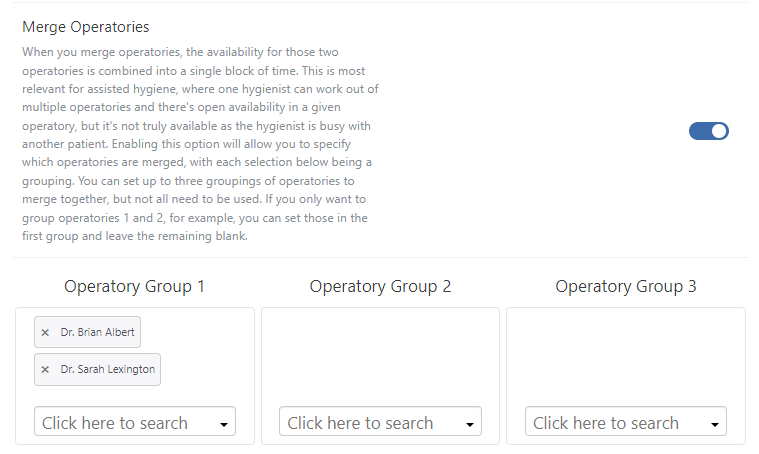
Once toggled on, you will see three operatory 'groups' where you can assign any number of operatories to be merged into one for availability. Flex will then reference these operatories and their staff's availability based on the schedule in the practice management system:
In my example below I have merged 'Dr. Brian Albert' and 'Dr. Sarah Lexington' operatories:
If you have any questions on the material above, please comment below or contact Flex Support!
Thank you!
Comments
Please sign in to leave a comment.