
Flex makes the code for your website widget extremely easy for you or your web developers!
First you will need to navigate to the 'FlexSchedule or FlexBook' tab inside of your Flex settings:
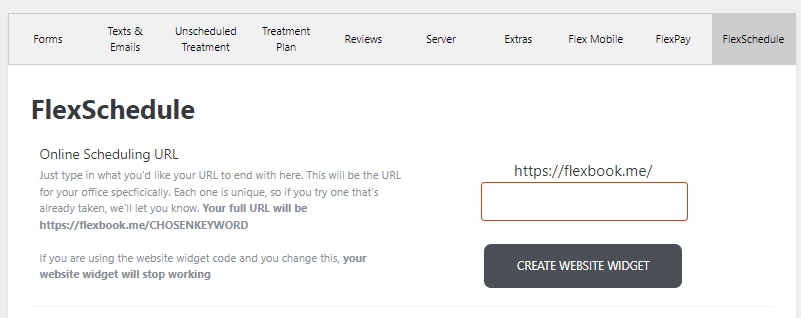
Please note: You need to establish/create your website link with the empty field above prior to using the widget.
Once you have your online scheduling link, click the 'create website widget' button and a few lines of code will appear:
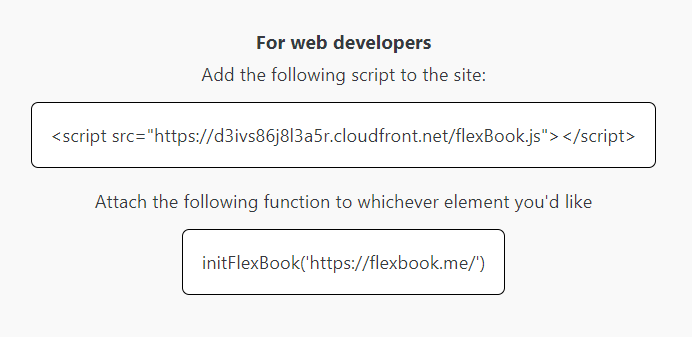
Once you add the script to your website, and attach the function to the element on your site, the widget should operate as intended.
Please note if you are using a site with it's own proprietary system (SquareSpace for example) you can utilize iframes if necessary.
If you have questions on the above material please feel free to comment below or contact Flex Support!
Thank you!
Comments
Please sign in to leave a comment.