
FlexSchedule (formerly known as FlexBook) utilized three features to better fit your practice's scheduling needs. These include:
- Flex Nudge
- Clustering
- Merging Operatories
Flex Nudge will allow you to set a 'weighted value' (a value that dictates priority) of where you prefer your patients to schedule. The larger the value/number the higher the chance Flex will show this time frame and day first before other options.
For example, I have my Flex nudge settings below to prioritize showing 8:00 am, 9:00 am, 1:00 pm, and 2:00pm. Perhaps I want to start my day off strong as well as after lunch. However you notice the values slow down approaching noon (lunch) and the same behavior happens after 2:00 pm.
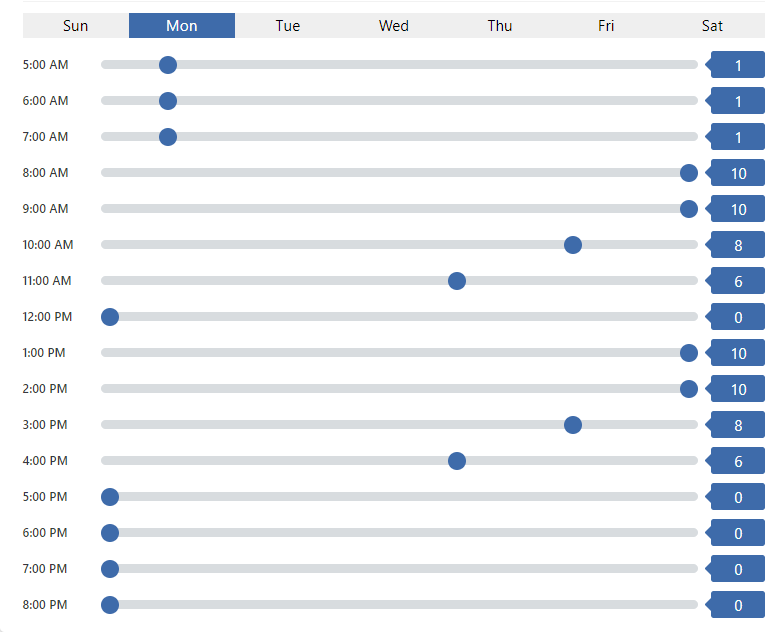
You may select any day of the week and adjust your time values to your liking. Flex will use these values alongside the provider/practice schedule and any weighted value of 'clustering' which can be viewed here!
If you have any questions in regards to Flex Nudge, please contact Flex Support or comment below!
Thank you!
Comments
Please sign in to leave a comment.