
Flex will allow you to block specific phone numbers from being able to schedule online. This is to help the practice protect against anyone trying to potentially create fake appointments, and other malicious behavior.
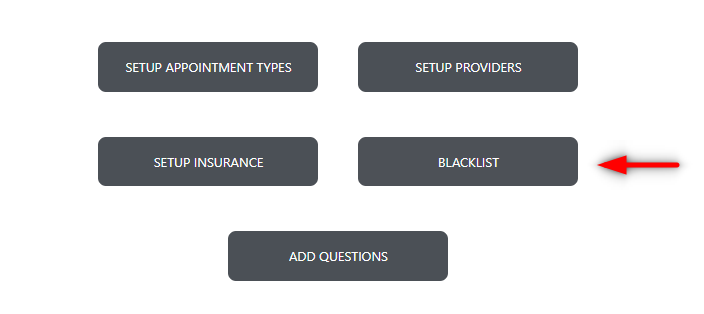
To enter a number into your blacklist, start by entering Flex settings, and navigating to your FlexSchedule/FlexBook tab, and selecting the blacklist button:
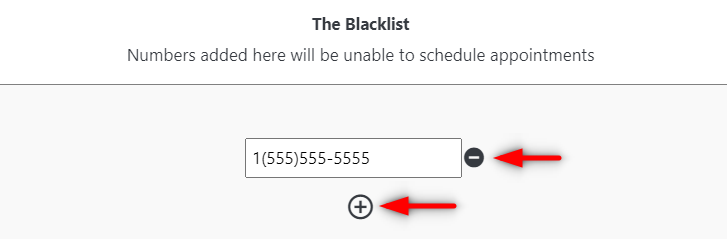
From here you will see a new window prompting you to enter the blacklisted number(s).
Please note: Every number must start with '1' to be officially blacklisted.
To enter any additional numbers choose the '+' icon.
To delete any former blacklisted numbers select the '-' icon.
If you have questions after reading the material above, please contact Flex Support or comment below!
Thank you!
Comments
Please sign in to leave a comment.