
Flex allows you to setup your insurance options for your patients when they schedule online with FlexSchedule (formerly known as FlexBook).
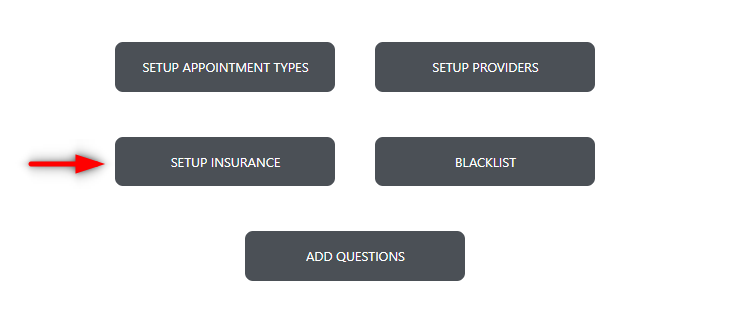
To access your insurance setup, first enter your Flex settings, navigate to the FlexSchedule/FlexBook tab, and choose the 'setup insurance' button:
Once selected, you will be presented with a window that allows you to select insurances that are displayed to patients to select. As well as a group for your 'in-network' insurance companies.
Flex will pull these options from your practice management systems, simply use the drop down selector, and select the insurance companies you want to add:

You also have the ability to add new insurance companies utilizing the '+' icon:
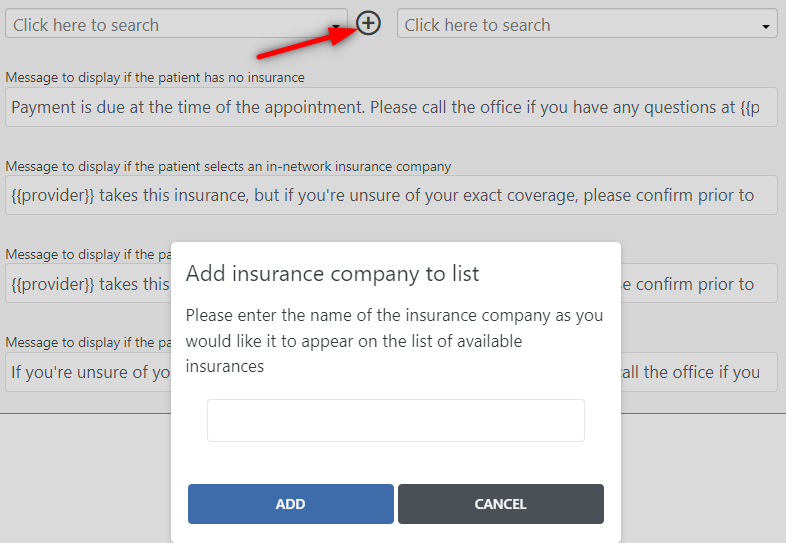
Finally, you have the ability to change your default messages to display to your patients given different scenarios.
Please note: Any items inside curly brackets utilize our code to pull in specific information.
If you have any questions after reading the material above, please comment below!
Thank you!
Comments
Please sign in to leave a comment.