
Flex (if enabled) will notify your patients on the day of their appointment(s) via text.
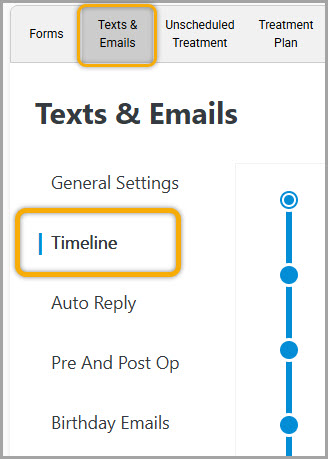
To access this feature first you will need to access your Flex settings, navigate to the 'texts & emails' tab, and choose the 'timeline' sub-section:
Once here, you have the ability to choose the following:
- Enable/Disable toggle
- Earliest time to send any same day reminders
- X Hours prior to the appointment to send the reminder
- Optional toggle for a separate premed message for premed patients
One thing to note, is the 'earliest time to send' setting will 'always trump' the 'x hours prior' setting.
For example, in my image below I have the earliest time to send set to 7:30 a.m. and my hours prior to two.
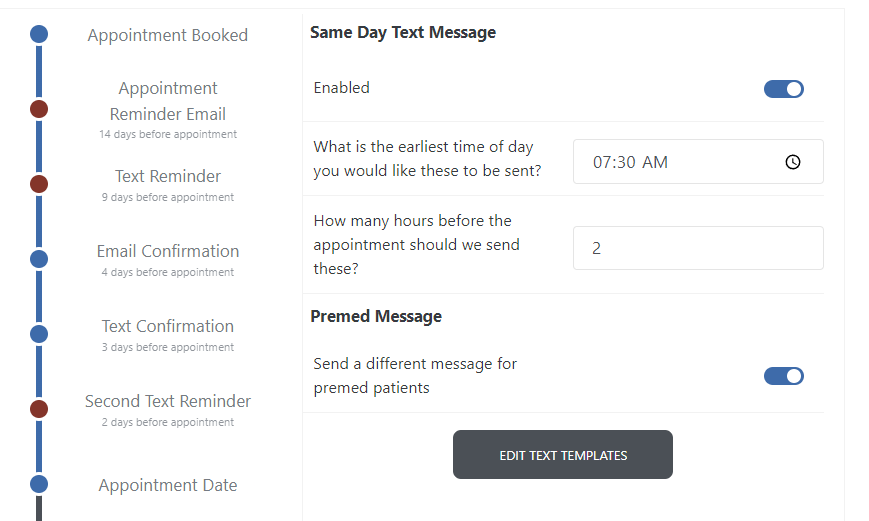
If my patient has an appointment at 8:00 am, they would receive their reminder at 7:30, not 6:00 am.
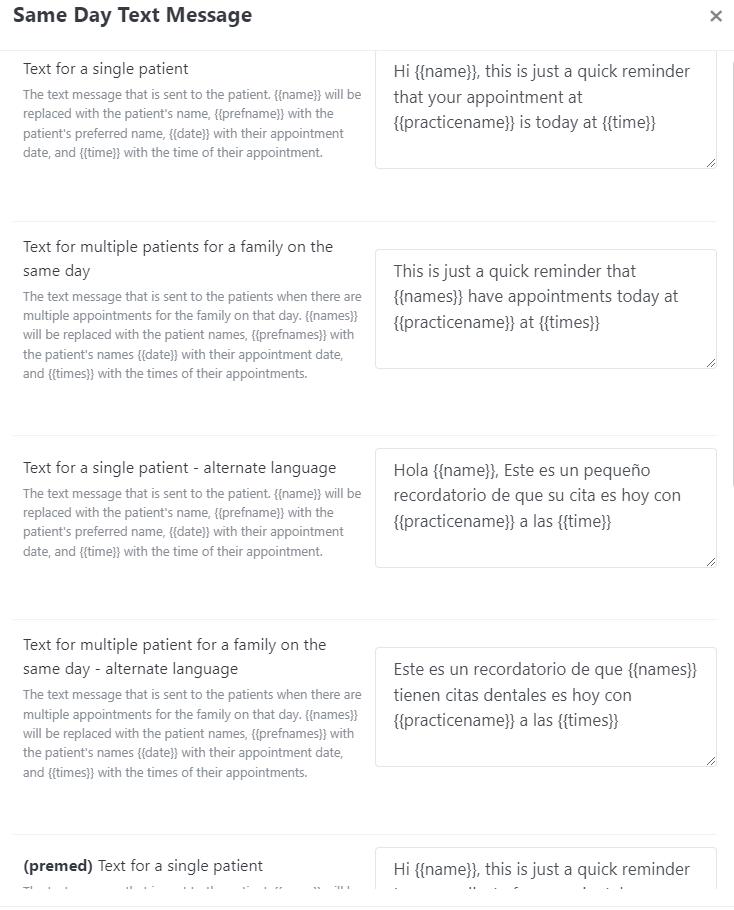
You also have the same familiar text templates for single/multiple appointments, and their premed alternatives:
If you have any questions about the material above, please contact support or comment below!
Thank you!
Comments
Please sign in to leave a comment.