
Two of the five payment options Flex offers for treatment plans are the 'financing option 1' and 'financing option 2' choices.
These two choices will allow you to set patient eligibility, including your settings (months), and more.
First to access these options you'll want to start by entering your Flex settings, navigating to the 'treatment plan' tab, and choosing either financing option sub-section:
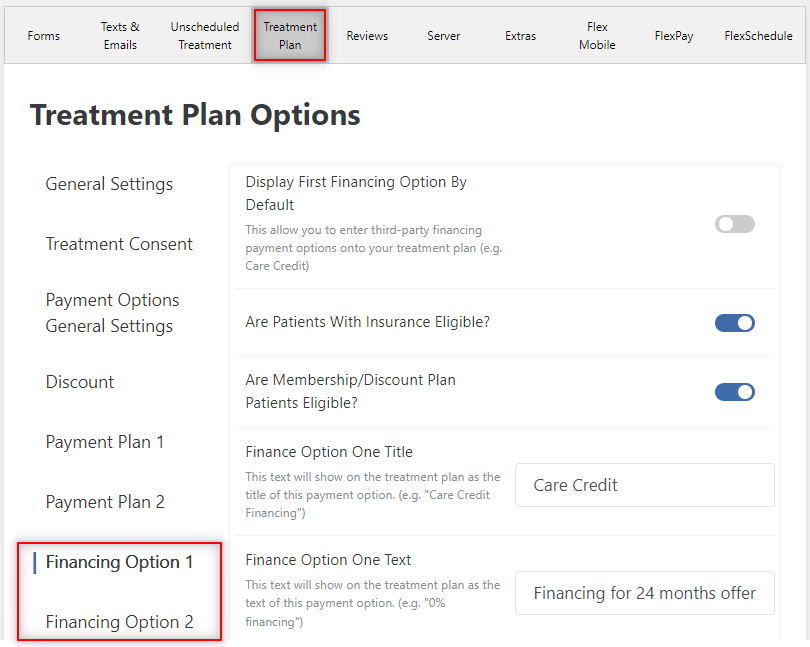
Once here you'll see a list of settings including:
- Display by default
- Insurance eligibility
- Membership eligibility
- Descriptive title/text
- Minimum treatment total to show
- Duration in months
- Interest rate %
Once you have configured these settings to your liking, if your patients are eligible, they will see these finance option(s) on their 'present' view of their treatment plans in Flex.
If you have any question on the above material please comment below or contact Flex Support!
Thank you!
Comments
Please sign in to leave a comment.