
Flex gives you plethora of settings to configure your Treatment Plans to your liking.
To access your treatment plan settings, first start by accessing Flex settings, navigating to the 'treatment plan' tab, and selecting the 'general settings' sub-section:
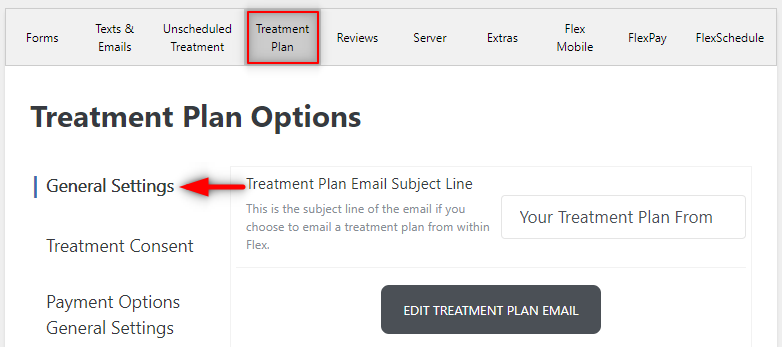
From here you'll find the following settings:
- Email Subject Line (when sending via email)
- Edit Treatment Plan button (edit what is sent via email)
- Show UCR/Insurance Discounts
- Hide CDT Codes
- Display Tax
- Tax Applies to Entire Amount
- Tax Rate
- Hide Insurance
- Offer Nitrous
- Nitrous Text (First/Second Text Box)
- Display Insurance Note
- Insurance Note Title and Text
While these are your general settings, they can change what is shown to the patient, for example some practices prefer to hide CDT codes, or to hide/show insurance discounts. Flex allows you to show what you prefer to your patients.
To learn about treatment consent settings click here!
To learn about payment options (finance, discount included) click here!
If you have any other questions in regards to the material above, please comment below or contact support!
Thank you!
Comments
Please sign in to leave a comment.