
Flex has a one stop shop for all things 'consents.' You have the ability to view, add, delete, edit, link, attach keywords, and more all on one page.
To access this page, you will start by entering your Flex settings, and choosing the 'consent form' sub-section:
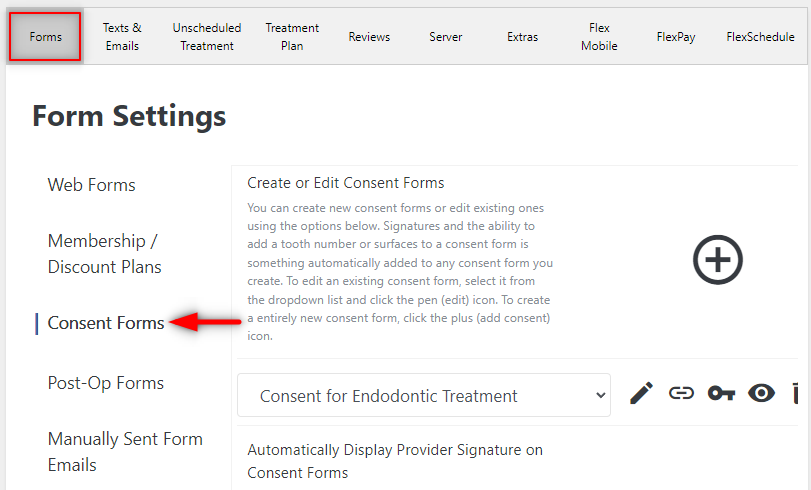
From here you have an icon/option for everything you need.
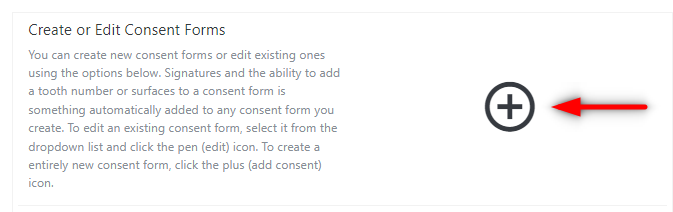
To add a consent, simply select the large '+' icon and this will open a consent editor for you to create your new forms:
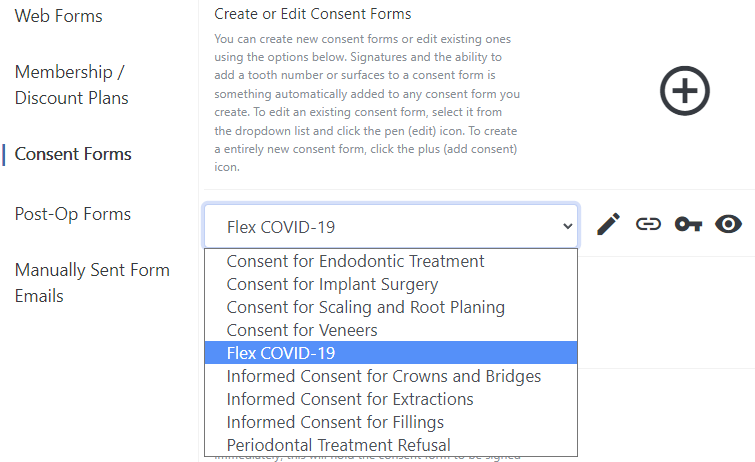
To edit, delete, disable, link, attach keyword to any of your consent forms, simply start by choosing the consent from the drop down:
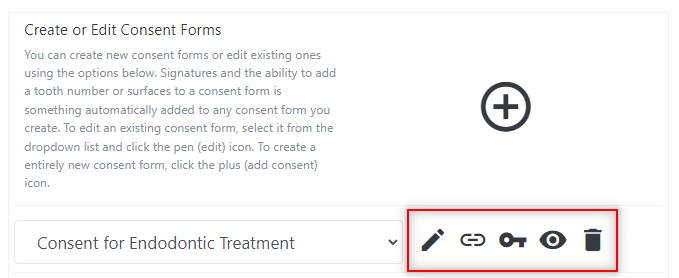
Once selected, the row of icons on the right will allow you to do the following:
- Edit (pencil)
- Link to Treatment Plan (link)
- Attach Keyword (key)
- Disable/Enable (eye)
- Delete (trashcan)
If you have any further questions on the above material please comment below or contact Flex Support!
Thank you!
Comments
Please sign in to leave a comment.